Your fax workflow, without the fax infrastructure
Keep using email, a browser, your multifunction printer or your own software. Faxdirect handles the telecom network, the delivery and the evidence.
Seven steps, start to archive
Choose or port a number
Take a new local or toll-free number, or bring the one your recipients already have.
Pick a sending method
Email, browser, mobile, printer, desktop client or API — whichever your team already uses.
Attach the document
PDFs, Office files and images are converted and previewed exactly as the recipient will see them.
We transmit securely
The document is encrypted, routed to a carrier, and sent to the receiving device.
Watch the status
Each stage reports in real time, with the reported cause if anything fails.
Route what arrives
Inbound faxes land in a person, a department, or a rule you defined.
Search or export the record
Everything stays searchable, and any range exports as an audit file.
The same result, whichever door you come in
Send a fax by sending an email
Address a message to the destination number at your Faxdirect domain, attach the document, and send. Inbound faxes arrive back in the same inbox as a PDF with a delivery receipt attached.
- Works from any mail client, on any device
- Authorized senders controlled per account
- Receipts returned to the sending address
2045550147@send.faxdirect.ca
- Uploaded Document received and validated 09:41:02
- Encrypted Stored in your selected region 09:41:02
- Dialling Route selected, carrier engaged 09:41:05
- Connected Handshake complete at 14.4 kbps 09:41:19
- Transmitting Page 3 of 4 09:41:44
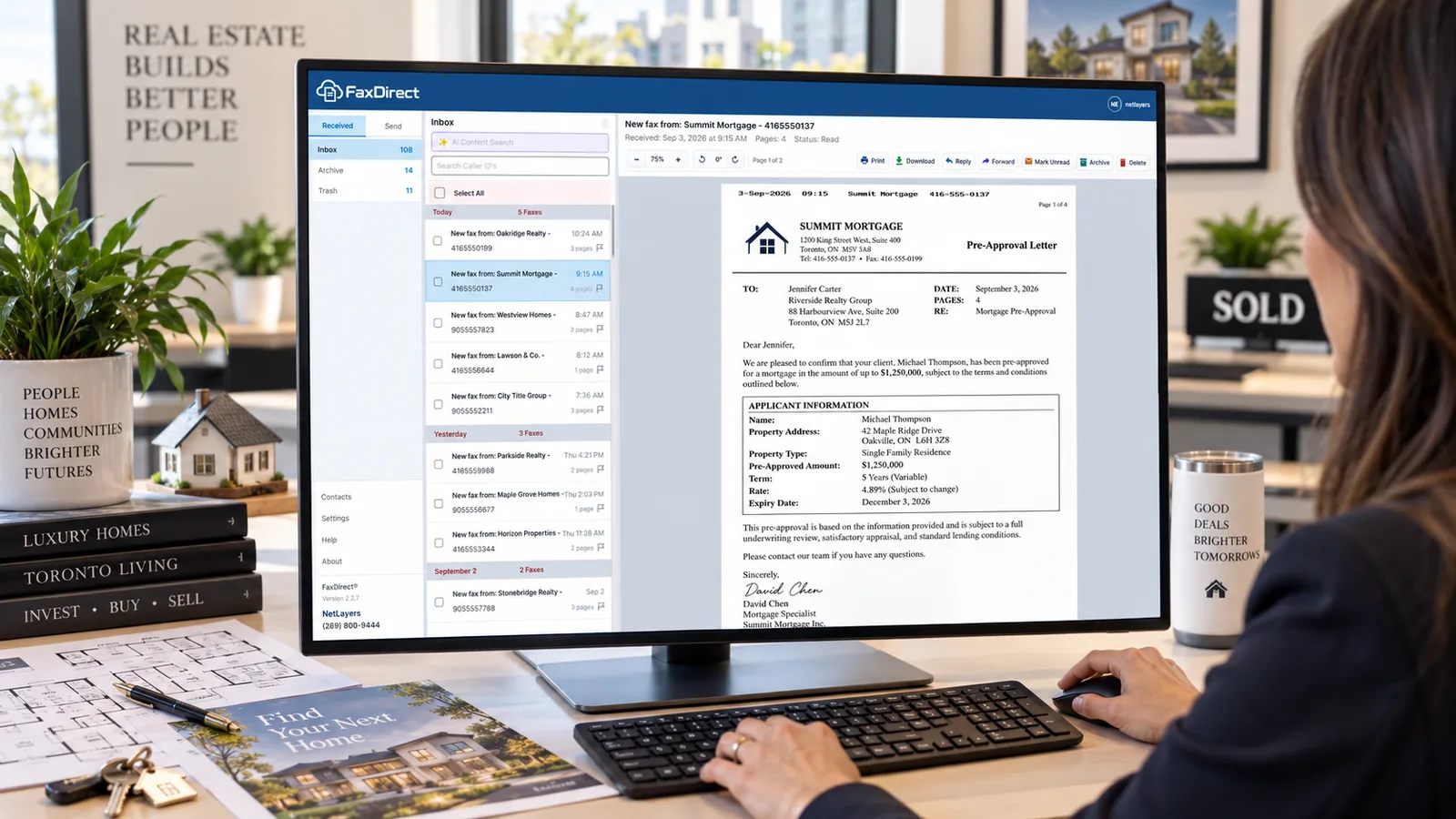
A shared inbox your whole team can work from
Compose, preview and send from the browser. Inbound documents land in individual or shared inboxes, can be assigned to a colleague, annotated with internal notes, and archived against a searchable record.
- Shared and departmental inboxes
- Assignment, notes and routing rules
- Full-text search across every transmission
app.faxdirect.ca
- Uploaded Document received and validated 09:41:02
- Encrypted Stored in your selected region 09:41:02
- Dialling Route selected, carrier engaged 09:41:05
- Connected Handshake complete at 14.4 kbps 09:41:19
- Transmitting Page 3 of 4 09:41:44
Send from a phone without an app store detour
The web application is responsive down to a phone screen. Capture a document with the camera, review the render, and send it with the same cover page and receipt as any other channel.
- Camera capture with automatic edge detection
- Delivery notifications on the device
- No separate install required
- Uploaded Document received and validated 09:41:02
- Encrypted Stored in your selected region 09:41:02
- Dialling Route selected, carrier engaged 09:41:05
- Connected Handshake complete at 14.4 kbps 09:41:19
- Transmitting Page 3 of 4 09:41:44
Keep using the machine in the hallway
Connect a multifunction printer so staff scan and send exactly as they always have — the document is routed over the network instead of a phone line, and lands in the same audit record as every other fax.
- Scan-to-fax from most business MFPs
- No retraining for front-desk staff
- Per-device sending permissions
- Uploaded Document received and validated 09:41:02
- Encrypted Stored in your selected region 09:41:02
- Dialling Route selected, carrier engaged 09:41:05
- Connected Handshake complete at 14.4 kbps 09:41:19
- Transmitting Page 3 of 4 09:41:44
A Windows client for high-volume desks
For staff who live in the fax queue all day, the Windows application installs as a printer so any program can print to fax, pulls pages directly from a scanner, and keeps an encrypted local copy of the archive for instant search.
- Print to fax from any Windows program
- Direct scanner capture
- Encrypted local archive with content search
- Uploaded Document received and validated 09:41:02
- Encrypted Stored in your selected region 09:41:02
- Dialling Route selected, carrier engaged 09:41:05
- Connected Handshake complete at 14.4 kbps 09:41:19
- Transmitting Page 3 of 4 09:41:44
Fax delivery as an endpoint in your own software
A REST API with delivery webhooks, sandbox credentials, idempotency keys and a published error taxonomy. Provision numbers, send documents, and subscribe to every state change in the transmission lifecycle.
- Send, receive, provision and retrieve
- Delivery webhooks with retry semantics
- Sandbox keys before you sign anything
POST /v1/faxes
- Uploaded Document received and validated 09:41:02
- Encrypted Stored in your selected region 09:41:02
- Dialling Route selected, carrier engaged 09:41:05
- Connected Handshake complete at 14.4 kbps 09:41:19
- Transmitting Page 3 of 4 09:41:44
Failed transmissions are reported honestly
Fax fails for mundane reasons: the line is busy, nobody answers, the machine at the other end is out of paper. We report the cause the carrier gave us, retry with a backoff appropriate to that cause, and tell the sender rather than quietly giving up.
| Reported cause | What we do |
|---|---|
| Busy | Retry on a short backoff, up to five attempts |
| No answer | Retry on a longer backoff, then flag for action |
| No fax tone | Stop and flag — usually a voice line |
| Negotiation failed | Retry at a lower speed before giving up |
| Invalid number | Stop immediately and notify the sender |
Start sending in the time it takes to read this page
No credit card for the trial, no setup fee, and no contract on self-service plans. Keep your number, or take a new one.
- Free standard number porting
- Combined sent and received pages
- Cancel from account settings, any time